


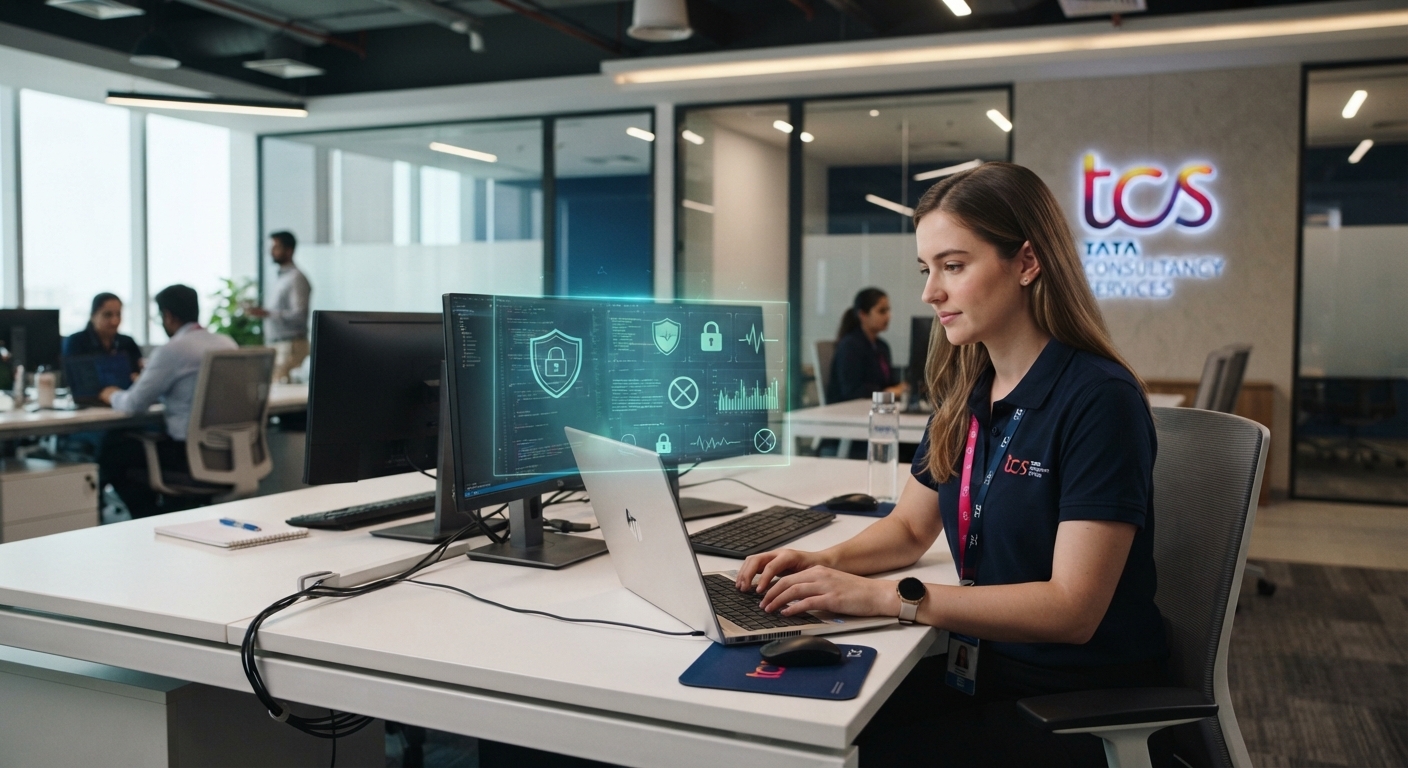
TCS employee laptop monitoring generally refers to the security, device-management, access-control, and activity-monitoring practices that may be used on company-managed laptops and IT systems. Employees using a TCS-issued laptop should understand that company devices are primarily intended for business purposes and may be subject to security controls and monitoring. TCS publicly states that its security policy applies to associates and others who have access to its infrastructure, IT systems, and information resources. TCS also says that personal data is processed for legitimate business or compliance purposes, consent, or another applicable legal basis, depending on the circumstances. However, publicly available TCS policies do not establish one universal list of every monitoring feature installed on every employee laptop. The exact level of monitoring can depend on the device, location, business requirement, security controls, and applicable employee privacy notice.
What Is TCS Employee Laptop Monitoring?
TCS employee laptop monitoring can be understood as the broader process of protecting and managing company laptops, networks, applications, and information accessed by employees. In a large IT organization, monitoring is not necessarily limited to checking whether someone is actively working on a laptop. It can also involve cybersecurity, endpoint management, access controls, system health, threat detection, compliance, and protection of company information.
TCS states that its security policy applies globally to its associates and to external parties with access or usage rights to TCS infrastructure, IT systems, or information resources. This means employees should treat a company-managed laptop as an enterprise IT asset rather than the same as a personally owned computer.
It is also important to distinguish between device monitoring, network security monitoring, and employee performance monitoring. These terms are sometimes used interchangeably online, but they do not necessarily mean the same thing.
Does TCS Monitor Employee Laptops?
The short answer is that company-managed TCS laptops can be subject to security and IT management controls, but it would be inaccurate to claim that every TCS employee has exactly the same monitoring software or that every activity is continuously watched by a person.
TCS’s published security and privacy materials emphasize protection of information, lawful processing, limited data collection, transparency, and appropriate security measures.
Therefore, the safest way to understand TCS employee laptop monitoring is to separate confirmed company policies from assumptions about particular software. A company may use endpoint-management and security technologies without manually reviewing every employee’s screen or keystroke.
What Can Be Monitored on a Company Laptop?
The exact configuration of a TCS laptop may vary, but enterprise IT environments commonly manage areas such as device security, authentication, software configuration, network access, system health, and security events.
TCS describes its digital workplace services as using endpoint remediation and real-time end-user environment analytics to identify issues and support IT operations. This demonstrates that endpoint and workplace technology can provide visibility into device environments, although it does not prove that every TCS employee laptop uses a particular monitoring product.
Some categories that may be relevant include:
| Monitoring or security area | What it can involve |
|---|---|
| Device management | Managing company-issued laptops, configurations, applications, and updates |
| Security monitoring | Detecting suspicious activity, malware, unauthorized access, or security risks |
| Network activity | Monitoring connections and access to corporate resources for security and compliance |
| Authentication | Recording or evaluating access to company systems and applications |
| System health | Identifying device problems, performance issues, and endpoint warnings |
| Data protection | Helping prevent unauthorized transfer or exposure of sensitive business information |
| Compliance | Supporting company security requirements and applicable legal or regulatory obligations |
These categories should not be interpreted as confirmation that every feature is enabled on every TCS device. The actual controls can differ according to business and security requirements.
TCS Employee Laptop Monitoring Software
People searching for tcs employee laptop monitoring software often want to know the exact application installed on their company laptop. There is no reliable basis in TCS’s publicly available general policies to identify one single monitoring application that is used universally across all TCS employees.
Large enterprises normally use multiple layers of technology rather than relying on one program. Endpoint security, identity management, network security, device management, data-loss prevention, and other controls can work together.
TCS itself describes solutions involving endpoint remediation and analytics for digital workplace environments. It also states that its security management system applies to TCS infrastructure, IT systems, and information resources globally.
For an employee trying to determine what is actually installed on a particular laptop, the most accurate source is the organization’s official IT documentation, device-management information, or the employee privacy notice rather than third-party claims about specific monitoring applications.
TCS Laptop Monitoring Software and Security
TCS laptop monitoring software should not automatically be interpreted as employee surveillance software. Enterprise software can exist primarily to protect the laptop and company information.
For example, security tools can help detect malware, unauthorized applications, suspicious connections, vulnerabilities, or other security events. Device-management tools can help IT teams maintain approved configurations and resolve technical problems TCS employee laptop monitoring.
TCS’s published privacy policy says personal data should be collected and processed for valid purposes and limited to what is necessary for the intended purpose. It also says TCS will provide information about the scope and purpose of processing where required by applicable law.
This distinction matters because security monitoring and productivity monitoring can have very different purposes.
TCS Employee Monitoring Software: Is It About Productivity?
Another common question is whether TCS employee laptop monitoring is designed specifically to measure productivity.
It would be misleading to assume that every security or endpoint-management tool is a productivity tracker. A company can collect technical information for cybersecurity or IT administration without using that information to calculate an employee’s productivity.
TCS’s public materials discuss IT analytics, endpoint environments, security, privacy, and data protection, but they do not provide a universal public specification saying that every employee laptop continuously records productivity in the same way.
Employees should therefore avoid relying on social-media posts or unofficial lists of supposed monitoring tools as proof of what their specific laptop is doing.
TCS Laptop Monitoring System and Remote Work
The need for secure monitoring and device management becomes particularly important when employees work remotely. A company laptop may connect to corporate applications, cloud services, VPNs, internal systems, and other business resources from outside an office.
TCS has described its digital workplace approach as supporting employees and IT teams across different work environments, with endpoint remediation and analytics intended to identify issues in user-device environments.
Consequently, tcs laptop monitoring system can refer broadly to the combination of endpoint, network, identity, security, and IT-management controls used to protect enterprise resources rather than one standalone monitoring application.
TCS Employee Laptop Tracking Software
The phrase tcs employee laptop tracking software can mean different things. Some people use “tracking” to mean locating a device, while others mean recording system activity or monitoring access.
These are separate functions.
Device-management technology may help an organization identify a company device, manage its configuration, protect it from unauthorized access, or respond to security incidents. That does not necessarily mean that an employee’s physical location is being continuously tracked.
TCS’s privacy policy emphasizes lawful processing, purpose limitation, data minimization, transparency, security, and retention principles. The exact information processed for an employee should therefore be understood from the applicable employee privacy notice and internal policies.
TCS Work Laptop Monitoring: What Employees Should Remember
TCS work laptop monitoring is best viewed as part of a wider enterprise security and IT-management environment. Employees should assume that a company-issued device can have security controls and that activity involving corporate systems may generate technical records.
That does not mean that an employee should assume someone is watching the screen at every moment.
The distinction between automated security logging and human review is important. Many enterprise security systems automatically collect technical events and generate alerts when they detect potential problems. Security or IT teams may investigate an event when necessary.
TCS’s published security policy states that violations of its security objectives can have consequences for associates and other parties covered by the policy.
TCS Laptop Activity Monitoring
TCS employee laptop monitoring may involve technical events associated with the use of company systems, but the precise scope depends on the organization’s internal controls and the applicable employee privacy notice.
For example, enterprise environments can maintain records related to authentication, access to corporate systems, security alerts, device configuration, or network connections. Such information can be important when investigating a cybersecurity incident.
TCS says it limits access to personal data to people and third parties with a business need to know and requires appropriate confidentiality and security measures.
Employees should therefore avoid assuming that every piece of information generated by a laptop is automatically reviewed by a manager.
How TCS Monitors Employee Laptops
The question how TCS monitors employee laptops cannot be answered with one universal software name because enterprise monitoring can consist of multiple technologies.
A typical enterprise approach can include endpoint security, identity and access controls, network protections, device-management systems, vulnerability management, data-protection technologies, and security analytics. Different business units or locations can also have different technical requirements.
TCS states that its security management system is periodically reviewed to maintain its applicability as operations and stakeholder expectations evolve.
For employees, the practical takeaway is simple: a TCS-issued laptop should be treated as a managed corporate device, and users should follow the applicable IT, security, acceptable-use, and privacy requirements.
TCS Employee Computer Monitoring and Privacy
TCS employee computer monitoring raises an important privacy question: what personal information can an employer process?
TCS’s privacy policy says personal data should be handled according to applicable legal requirements and for legitimate business or compliance purposes, consent, or another applicable legal basis. It also states that TCS will limit processing in scope and duration to what is necessary for the intended purpose.
TCS also indicates that employees have access to an employee-specific privacy notice. A TCS privacy document published for an event, for example, specifically directs employees to the Employee Privacy Notice available through the TCS Ultimatix platform under the Notices & Consents area.
That employee-specific notice is more relevant to an employee’s individual situation than assumptions based on generic internet discussions.
TCS Remote Employee Monitoring Software
With remote work, tcs remote employee monitoring software can be a misleading search phrase because not every technology used for remote work is designed to monitor employee productivity.
Remote-work systems may need to authenticate users, secure connections, manage devices, protect company data, and maintain access to business applications. These functions can create technical records without necessarily recording everything an employee does.
TCS’s digital workplace materials describe technologies designed to support remote and flexible work environments while providing IT teams with visibility into end-user environments and potential issues.
Employees who want certainty about their particular setup should check official internal documentation rather than assuming that a particular third-party monitoring product is installed.
TCS Company Laptop Tracking and Personal Use
TCS company laptop tracking should not be confused with unrestricted access to an employee’s personal life.
A company-issued laptop remains a corporate IT asset, and employees should follow the organization’s rules concerning personal use. Personal activities performed through company systems can also create privacy and security considerations depending on the systems involved and applicable policies.
The safest approach is to avoid storing highly personal information on a work laptop and to use personal devices for genuinely private activities when company policy permits it.
TCS states that personal data is protected through technical and organizational measures and that access is limited based on business need.
TCS Laptop Surveillance Software: What Is Actually Confirmed?
Searches for tcs laptop surveillance software often produce claims about specific tools, screenshots, or supposed employee experiences. Such information should be treated carefully unless it comes from an authoritative source.
TCS publicly confirms that it has global security policies and technology for managing and protecting IT environments. It also publishes privacy principles covering lawful processing, transparency, purpose limitation, and data protection.
However, those public documents do not provide a single definitive list of every software product deployed on every employee laptop.
Therefore, the most accurate answer is that monitoring and security controls may exist, but the exact tools and level of monitoring should not be generalized across all TCS employees.
TCS Employee Activity Tracking: What Employees Should Do
Employees who are concerned about tcs employee activity tracking should first review their applicable company policies and privacy notices. The employee-specific privacy documentation is particularly important because data-processing practices can vary according to jurisdiction, employment relationship, and business requirements.
Employees should also:
- Use company laptops primarily according to official IT and acceptable-use policies.
- Avoid installing unauthorized applications.
- Keep company information within approved systems.
- Follow security and authentication requirements.
- Ask the relevant TCS IT, HR, security, or privacy team if they need clarification about specific monitoring practices.
- Avoid relying on unofficial claims about a particular monitoring tool.
This approach provides a much more reliable understanding of laptop monitoring than trying to infer company policy from an application name found on a device.
Conclusion
TCS employee laptop monitoring is best understood as part of a broader enterprise IT, cybersecurity, device-management, and data-protection framework. TCS publicly confirms that its security policies apply to associates with access to its infrastructure and IT systems, while its privacy policies emphasize lawful processing, purpose limitation, transparency, and security. The company also describes endpoint and workplace technologies that provide IT teams with visibility into user-device environments. However, there is no reliable public evidence establishing one identical monitoring software or monitoring configuration for every TCS employee laptop. For the most accurate information about a particular employee’s device, the applicable TCS employee privacy notice and official internal IT policies are the appropriate sources.
FAQs
1. Does TCS monitor employee laptops?
TCS company laptops can be subject to security, device-management, and IT controls. However, the exact monitoring capabilities can vary, and public TCS policies do not establish that every employee laptop has the same monitoring configuration.
2. What software does TCS use to monitor employee laptops?
TCS does not publicly provide one universal list of monitoring software for every employee laptop. Enterprise security can involve several different technologies, so a specific software name should not be assumed without official confirmation.
3. Can TCS employee laptop monitoring?
Company systems can generate technical information related to security, authentication, device management, network access, and other business functions. The exact information collected and its purpose depend on applicable policies and privacy requirements.
4. Can employees find out what data TCS collects?
Employees can review the applicable TCS employee privacy documentation and contact the relevant TCS privacy or data-protection function for clarification. TCS states that it provides information about the scope and purpose of personal-data processing where required by applicable law TCS employee laptop monitoring.
- TCS employee laptop monitoring
- Tcs employee monitoring software
- Tcs employee activity tracking
- Why is the TCS Share So Popular